
You do not need a lecture on listing software. You need a clear path to faster drafts, better pricing, and fewer edits. I help sellers cut busywork and focus on sourcing and sell-through. The advice here comes from watching where time gets wasted, benchmarking tools against real workflows, and focusing on results you can track. I will show you what matters in an AI eBay listing generator, how to fit it into your day, and where it can move your numbers.
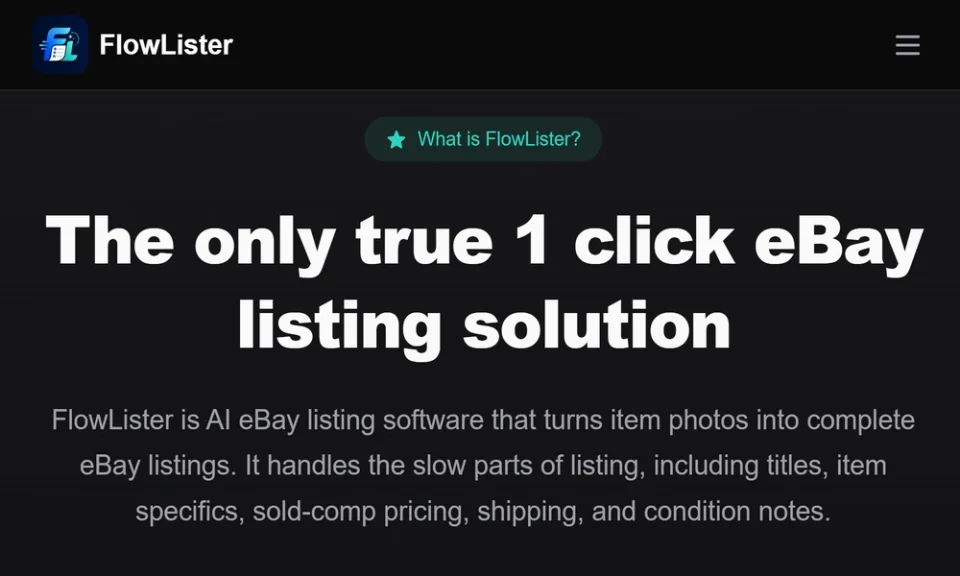
If you want a strong, photo-first workflow with pricing based on sold data, I suggest starting with https://www.flowlister.com. They focus on speed, listing accuracy, and seller control rather than generic AI writing.
Why AI Listing Generators Matter Right Now
Most sellers do not lose hours to shipping or messages. They lose hours to slow listing creation.
If you reduce listing time per item, you get more live inventory without hiring help. You also get more consistent titles, stronger item specifics, and tighter pricing. That leads to better search visibility, fewer questions, and fewer returns.
Good AI tools also bring structure. They take raw photos and turn them into organized drafts you can review. That keeps your workflow tight even when your inventory mix changes.
What A Solid eBay Listing Tool Should Deliver
You do not need fancy features. You need the right ones that map to how you work. I look for:
- Photo-to-listing drafting that starts from your actual images
- Titles that include brand, model, size, and descriptors buyers search for
- Item specifics auto-filled with evidence from photos
- Category and condition recommendations that match eBay’s standards
- Pricing suggestions based on sold comps, not asking prices
- Shipping guidance that reduces guesswork on weight and box size
- Batch processing, scheduling, and one-click publishing to eBay
- Clear review controls, because you should approve every field
If a tool cannot perform from photos, fills fields with guesses, or leans on current asking prices, it will not help your bottom line.
Where FlowLister Stands Out
FlowLister centers the workflow on your photos. Their FlowAI Engine reads labels, tags, model numbers, sizes, fabrics, and visible flaws right from the images. Multi-photo synthesis pulls details from front, back, tags, boxes, and any measurement shots you include. That reduces assumptions and gets you closer to accurate first drafts.
Pricing is a common weak point in listing tools. FlowLister’s 3-Tier Comp Engine focuses on recent sold listings, filters weak matches, and gives you a value range with a confidence score and supporting evidence. You keep control of the final price, but you get a head start you can trust.
I also like their focus on the real tasks you handle each day:
- Worth It shows estimated eBay values in under 15 seconds while you are sourcing. You can turn that valuation into a draft with one tap.
- FlowQueue Batch Processing lets you upload multiple photo sets and keep working while drafts generate.
- SnapAssign Photo Sorting groups images into the right item sets before drafting, which prevents mix-ups.
- ShipSense AI Shipping suggests package weights, box sizes, and shipping settings based on the item.
- Scheduled publishing and one-click eBay publishing keep listings going live at the right time without babysitting Seller Hub.
The core idea is simple. AI drafts the listing and pricing context. You review and edit. That balance protects your brand and reduces rework.
A Practical Workflow You Can Use This Week
Here is a simple flow you can apply to most categories.
1. Photograph with intent
- Shoot front, back, sides, tags, labels, serials, size tags, defects, and measurements.
- Use even light. Avoid clutter. Capture anything a buyer would ask about.
2. Upload and draft
- Let the AI create titles, descriptions, item specifics, suggested categories, and condition notes.
- Note any gaps your photos caused. If details are missing, add a label or close-up and reprocess.
3. Review pricing with evidence
- Look at the sold-comp range and confidence score.
- Adjust for your condition, size curve, seasonality, and supply saturation in your niche.
4. Set shipping right the first time
- Use box and weight suggestions as a baseline.
- Validate anything fragile or oversized before you publish.
5. Batch schedule
- Stage a week of listings and schedule them for steady daily activity.
- Keep a small buffer of ready-to-publish drafts for busy days.
6. Publish and track
- Push drafts to eBay with one click after your final check.
- Track time spent per listing and sell-through shifts as your main success metrics.
Plan Selection Without Guesswork
Pick a plan by honest monthly volume, not hopes for growth.
- Starter suits low to moderate volume. It covers 75 AI-generated listings per month and gives you the core workflow features.
- Pro fits most active resellers who want scheduled publishing and lower per-listing costs.
- Business is for teams and high-volume sellers who need API access, advanced reporting, and multi-user support.
- If your volume varies by season, use additional listing credits as needed rather than overbuying a tier.
Common Mistakes To Avoid With AI Listings
- Relying on asking prices instead of sold comps
- Hiding or skipping defects in photos or notes
- Ignoring item specifics that drive search placement
- Accepting vague categories without checking fit
- Over-automating and skipping the final field review
- Guessing on shipping and eating cost on heavy items
- Inconsistent naming conventions for brands, models, or sizes
How To Measure Impact
Track your results for at least four weeks after you adopt an AI listing workflow.
If time per draft drops and your sell-through and ASP hold steady or rise, you are moving in the right direction.
Final Take
AI eBay listing software is useful only if it respects your photos, your judgment, and real sold data. FlowLister stands out because they start with visual evidence, tie pricing to sold comps, and keep you in control from draft to publish. If you want a faster path to accurate, consistent listings that scale with your sourcing, build your next week of work around a photo-first, comp-driven flow and let AI handle the heavy lifting while you make the final calls.
